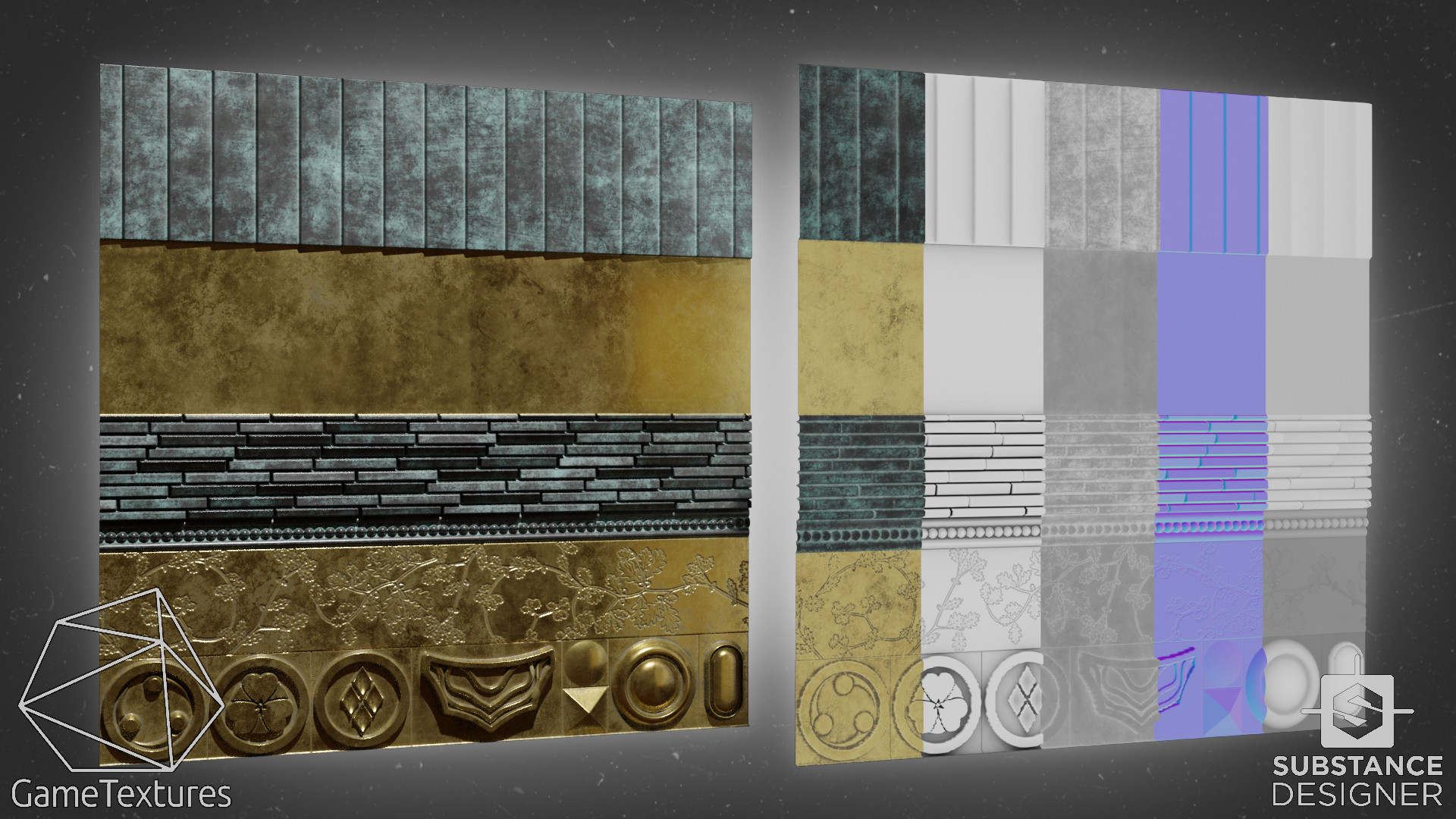
Feudal Japan Trimsheet
(Tutorial video & assets see link below)
We are doing more trimsheets at GT so I wanted to layout one that could make many assets from just a single trimsheet.
With clever UVs you can make your trimsheets go a long way. Large areas like the roof segments have their UVs slid so that you do not notice the tiling of the roof segment on the trimsheet.
There is also an opacity channel so that I can turn some parts of the trim into decals as you see in one of the gifs. Useful for placing bolts or symbols.
Very soon I will have a full video tutorial on the GT youtube channel showing how I modelled all of this using the trimsheet. Stay tuned!
I made the base layout and height for the trimsheet and Matt Dirks turned that into a finished material with Designer.
Download models and sample textures here, the video is also here: https://medium.com/gametextures/unique-uvs-be-damned-make-art-quickly-with-trim-kits-full-tutorial-assets-included-2870dab5c56a


The entire roof uses this one texture trimsheet. It is very nice to be able to build so much from one texture.


Most of the roof is done with modifiers so it does not take to much work to model.

Curves are used to move these ridges around.


The trimsheets also has opacity so I can uses deferred decals.
[Full Tutorial] Using Trim Sheets to Build Complicated Assets Quickly. (assets included) (skip to 6626s)